

Kros Omega Export - 3.x
Compatibility (OpenCart versions):
- Stock: In Stock
- Model: kros-omega-export-3x
Available Options
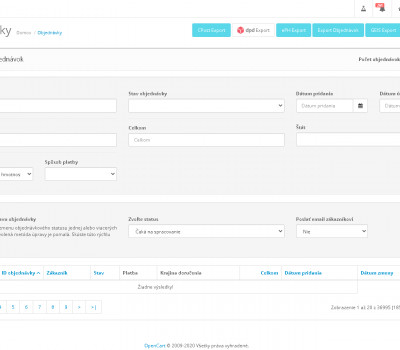
Kros Omega Export is a module for the OpenCart platform that enables exporting orders from your online store into the Kros Omega accounting software. The solution is designed for e-commerce stores that require a reliable connection between the order system and accounting without manual data rewriting.
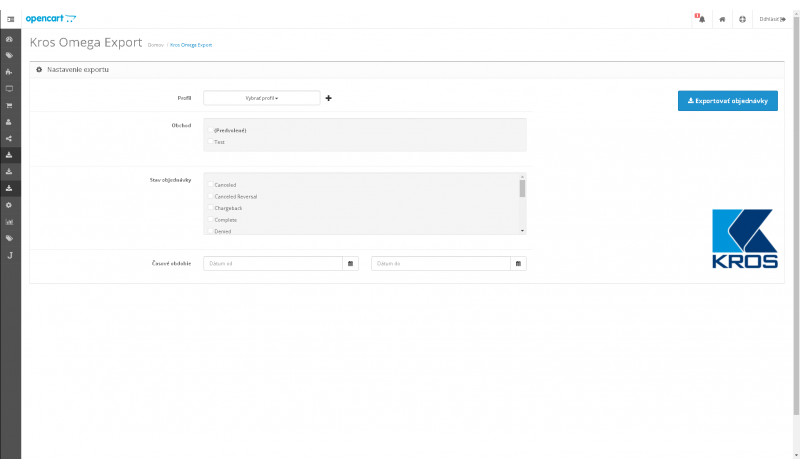
Before exporting, orders can be filtered using multiple criteria such as time period, specific store in multistore setups, order status, or individual customers. The export contains all required data for proper invoice import into the Kros Omega system.
Main module benefits
- easy installation using OCMOD
- no core OpenCart files are overwritten
- clear and flexible order export configuration
- significant time savings in accounting processes
- documentation included
Module features
- order export based on order status
- order export per store (multistore support)
- order export by selected date range
- ability to create and use export profiles
- support for multiple tax rates
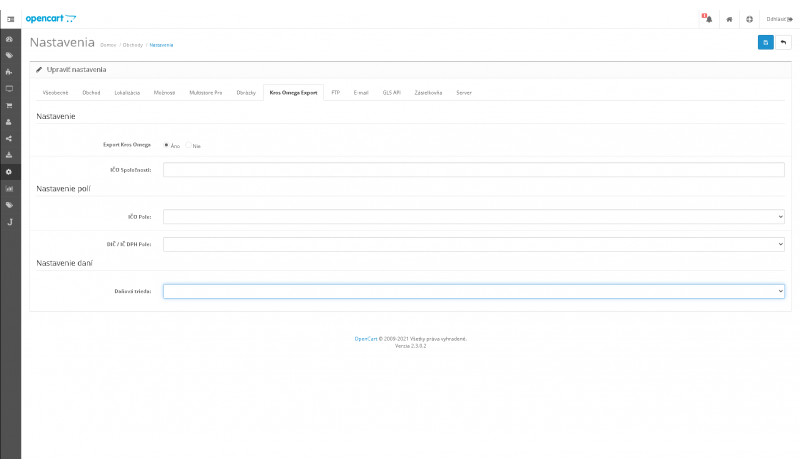
- custom field mapping for Company ID, VAT ID and Tax ID
- multi-currency export support
- export includes exchange rate valid on the order date
Compatibility
The module is compatible with OpenCart 3.x.
Notice
The export process has been tested and consulted with accounting professionals. However, we are not responsible for incorrect imports or accounting inconsistencies caused by improper e-shop configuration or third-party modules.
If you need custom modifications, extended functionality, or technical support, please contact us at support@opencart-solutions.com.
Module Installation Instructions
Before starting the installation of the module in OpenCart, we strongly recommend creating a backup of all store files and the database.
- Download the module file for the required OpenCart version from our website (if the archive contains installation instructions, please follow them).
- In the OpenCart administration panel, navigate to Extensions / Installer and click the Upload button.
- Select the downloaded file and wait until the module is fully installed. After successful installation, the message “Application installed successfully” will be displayed.
- Go to the Extension Modifications (Application Manager) and click the Refresh or Update button to rebuild modifications.
- Then open User Groups and assign permissions to view and manage the module for the administrator or selected users by clicking Select All.
After completing these steps, the module will be successfully installed and ready to use. You can now proceed with its configuration.